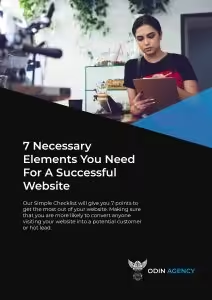


How To Create A Website For Your Small Business That Actually Wins Clients
Thinking about building a website for your small business? Good. But before you dive in, it’s worth understanding the difference between a website that exists and a website that works.
Because there are a lot of small business owners out there with a website that does the former and not the latter. It’s live, it looks alright, but it’s not bringing in any customers. And that’s usually not bad luck, it’s because a few important things were missed when it was put together.
This post is going to walk you through exactly how to create a small business website the right way. Whether you’re planning to build it yourself or hand it over to someone else, these are the things that actually matter.
First – What Platform Should You Use?
This is usually the first question people ask, and honestly it matters less than most people think. The platform is just the tool. What you do with it is what counts.
That said, here’s a quick rundown:

WordPress
Is the most widely used website platform in the world and for good reason, it’s flexible, powerful, and if you ever want to hand your site over to a developer or agency, almost everyone works in it. The slight downside is it has a learning curve if you’re doing it yourself, and you’ll need to sort your own hosting. It’s the system we use to build our clients websites and what we use for Odins Tech Clan.
Squarespace
Is a beginner-friendly option. Clean templates, everything in one place, no hosting faff. The trade-off is it’s less flexible than WordPress if you want to do anything custom later on.

Wix
Is similar to Squarespace, easy to get started, drag and drop, but can get messy if you’re not careful and doesn’t always play nicely with SEO. My personal opinion on this is steer clear!

Shopify
Is specifically for ecommerce, if you’re selling physical products, it’s excellent. If you’re a service business, don’t bother. Other ecommerce options would be using Woocommerce on WordPress.

Our recommendation for most small service businesses
WordPress, using a good page builder like Divi or a well-supported theme. It gives you the most control and the most room to grow. If that sounds like too much to figure out, that’s exactly what Odin’s Tech Clan is designed for, we’ve done the setup for you so you can just get on with it. With the ability to grow with your business and not have to tear down the house and start again later.
The Pages You Actually Need (And What To Put On Them)
A lot of first-time websites either have too many pages or not enough. Here’s what a solid small business website actually needs:
Homepage
This is the most important page on your site. It needs to do one job: tell a visitor quickly whether they’re in the right place.
That means a clear headline at the top that says what you do and who you do it for. Not something vague like “Building Better Futures” something specific like “Professional Cleaning Services for Homes and Offices Across Devon.”
Below that: a short explanation of how you work, a few reasons to trust you, and a clear call to action. That’s it. Don’t try to cram everything onto the homepage.
Services Page
One page that covers everything you offer, or separate pages for each individual service if you offer quite a few. Individual service pages are better for SEO because each one can target its own search term. A cleaning company, for example, might have separate pages for domestic cleaning, end of tenancy cleaning, and commercial cleaning. I would also suggest having an overview service page that lists all the services with internal links to each of the specific service pages.
About Page
People buy from people. Your About page isn’t just a CV… It’s a chance to show some personality, explain why you started the business, and build the kind of trust that makes someone feel comfortable picking up the phone.
Contact Page
Make this easy. Phone number, email address, and a simple contact form. If you have a physical location, add your address and a Google Map embed. Don’t make people hunt for how to reach you.
Testimonials / Case Studies
This can be a standalone page or woven throughout the site. Either way, you need social proof somewhere visible. What have real clients said about you? What results have you got for people? This is often the thing that tips someone from “maybe” to “yes.”
The Things Most DIY Websites Get Wrong
Here’s where we get to the part that actually makes the difference between a website that wins clients and one that just sits there.
No clear calls to action
Every page on your site should tell the visitor what to do next. Not just have a contact page somewhere in the menu… An actual button or prompt that says “Book a Free Consultation” or “Get a Quote Today” right there where they’re reading. If you make people go looking for how to contact you, most of them won’t bother.
Not built with SEO in mind
A website that nobody can find on Google is a website that doesn’t work. SEO doesn’t have to be complicated at the start, it mainly means making sure each page is focused on a specific topic, using the words your customers actually search for, and having proper page titles and descriptions set up. If this sounds alien, don’t skip it, it’s the difference between getting found and being invisible.
No way to capture leads who aren’t ready to buy yet
Most people who visit your website for the first time aren’t ready to buy. They’re doing research, comparing options, thinking about it. If there’s nothing on your site to capture their details… A free download, a newsletter sign-up, a useful checklist, they’ll leave and probably never come back. A simple lead magnet changes that completely.
Slow loading
This one kills websites silently. If your site takes more than three seconds to load, roughly half your visitors will leave before they’ve seen a single word. Oversised images are usually the main culprit, compress them before you upload. A free tool like Squoosh does the job nicely.
Not mobile-friendly
Over half of web traffic comes from phones. Build and test your site on mobile as a priority, not an afterthought. What looks great on a desktop can be a nightmare to navigate on a small screen.
What To Do About Content
A lot of people build the whole website and then freeze when it comes to writing the words. Here are a few principles that help:
Write for your customer, not for yourself. Every sentence should be answering the question “what’s in it for them?” Not “we are passionate about what we do” but “here’s what that means for your business.”
Keep it simple. Plain English beats jargon every time. Write the way you’d explain what you do to someone you’d just met at a networking event.
Be specific. Vague claims like “we provide exceptional service” mean nothing. Specific claims like “most of our clients see their first enquiry within 30 days” mean something.
Don’t write an essay. People scan, they don’t read. Short paragraphs, clear headings, and bullet points where they make sense. Make it easy to skim and still get the key points.
Should You Build It Yourself Or Hire Someone?
Honest answer, it depends on where you are in your business.
Build it yourself if: you’re in the very early stages, budget is tight, and you just need something live and professional-looking quickly. There are good tools out there that make this genuinely achievable without technical skills. Odin’s Tech Clan is built specifically for this! We’ve set up the tech stack, the templates, and the training so you’re not starting from scratch. It’s the DIY option done properly.
Hire someone if: you’re past the early stage, you’re losing leads because your current site isn’t converting, or your time is genuinely better spent on other parts of the business. A professionally built website done well isn’t a cost, it’s an investment that pays for itself when it’s generating you consistent enquiries.
The worst option is spending months trying to DIY something that ends up costing you more in lost business than a professional build would have.
The Bottom Line
Creating a small business website that actually wins clients isn’t about having the fanciest design or the most pages. It’s about being clear, being findable, and giving people a reason to get in touch.
Get those basics right and your website becomes one of the hardest working members of your team, finding customers, building trust, and capturing leads while you’re busy doing everything else.
If you want to do it yourself properly from the start, Odin’s Tech Clan gives you everything you need, already set up, for less than £1 a day.
If you’d rather hand it over and have it done for you, grab a free website review and we’ll tell you exactly what your site needs to start generating leads.
Let’s Grow Your Business
Download our FREE guide
7 Reasons Your Website Isn’t Getting You Customers (and what to do about each one)
Starting a new business? Check out our Website tools for new businesses